
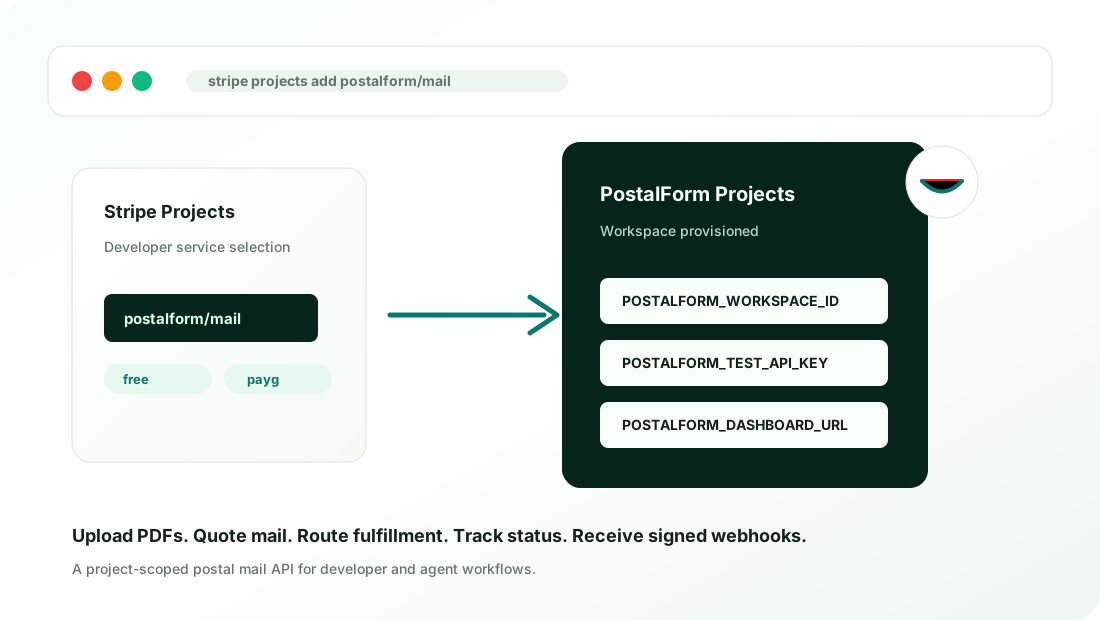
PostalForm is now available through Stripe Projects, bringing postal mail infrastructure into the same CLI workflow developers use to provision the rest of their application stack.
Postal mail still shows up in workflows that otherwise feel fully digital. A process may need to send a cancellation letter, a compliance notice, a dispute packet, a customer document, or a form that has to reach a physical address. The hard part is not only printing the PDF. Developers also need API keys, a workspace, test mode, quotes, routing, fulfillment status, webhook signing, and a safe path from testing to live mail.
That setup is still too manual in many developer workflows: create an account, find the right dashboard settings, generate keys, paste values into an environment file, and write setup notes that every teammate or coding agent has to follow later.
With Stripe Projects, developers can add PostalForm to a project from the terminal and receive the credentials needed to start building.
stripe projects init my-app
stripe projects add postalform/mail
What Stripe Projects Adds
Stripe Projects gives developers one workflow for provisioning services, returning credentials, and managing service setup from the CLI. Instead of bouncing between separate provider dashboards before an app can run locally, a project can request the infrastructure it needs and receive the values required to keep building.
For developers using PostalForm, that means a project can add postal mail as a capability and receive a PostalForm Projects workspace with the credentials and links needed to start testing.
What PostalForm Provisions
When a project adds postalform/mail, PostalForm creates or links a PostalForm Projects workspace and returns environment values such as:
POSTALFORM_WORKSPACE_ID
POSTALFORM_TEST_API_KEY
POSTALFORM_API_BASE
POSTALFORM_DASHBOARD_URL
Test mode uses mock providers and does not send real mail. Developers can build the full workflow first: upload a PDF, quote a mailpiece, submit a test order, inspect the timeline, and verify status handling without triggering physical fulfillment.
When a project is ready for production, PostalForm can support live mailing credentials through the Stripe Projects billing flow available to the project. Optional webhook configuration can also return endpoint-specific webhook values so an app can receive signed PostalForm status events.
The PostalForm dashboard remains part of the workflow. Stripe Projects helps provision the service and return credentials, while the PostalForm workspace continues to provide normal account access, key rotation, mail history, and operational visibility.
Why This Matters For Agents
AI coding agents can write code quickly, but service setup is still a source of brittle instructions and manual cleanup. Agents need deterministic steps and real credentials, not screenshots of dashboards or stale onboarding notes.
PostalForm’s Stripe Projects integration is designed around that reality. Provisioning returns agent-readable environment values, keeps resources tied to the right project, and supports a repeatable local development loop:
Upload a PDF
Create a letter or postcard quote
Submit a test mailpiece
Track the order timeline
Receive signed status events
That makes postal mail easier to include in real application flows: cancellation letters, notices, dispute packets, form submissions, customer documents, and other workflows where software needs to produce a physical delivery.
Get Started
To get started, install the Stripe CLI, initialize a project, and add PostalForm:
stripe projects init my-app
stripe projects add postalform/mail
PostalForm handles the mail infrastructure behind the API: document upload, quotes, provider routing, test submissions, live mailing setup, dashboard visibility, API keys, and signed status events.
Team mailing and approvals
PostalForm Projects also includes team permissions and mailing approvals at no additional charge. Staff can prepare drafts, managers can approve expenses and send mail, and finance can manage credits separately. Read the team-controls announcement for the workflow and role breakdown.