
The person preparing a letter is not always the person who should approve its cost or send it. For a patient advocacy team, that letter may contain information the finance team does not need to see. The same concern applies to legal aid, nonprofit case management, and employee benefits correspondence.
PostalForm Projects now includes workspace roles and mailing approvals at no additional charge. An independent approver can authorize the expense without seeing the letter, recipient address, or filename. Billing access can stay separate from document access, too.
There are no per-seat fees or subscription fees. Your team uses prepaid credits for live mail, with a quote before sending.
You can use the entire workflow in the dashboard. No developer or API integration is required.
Prepare, approve, then send
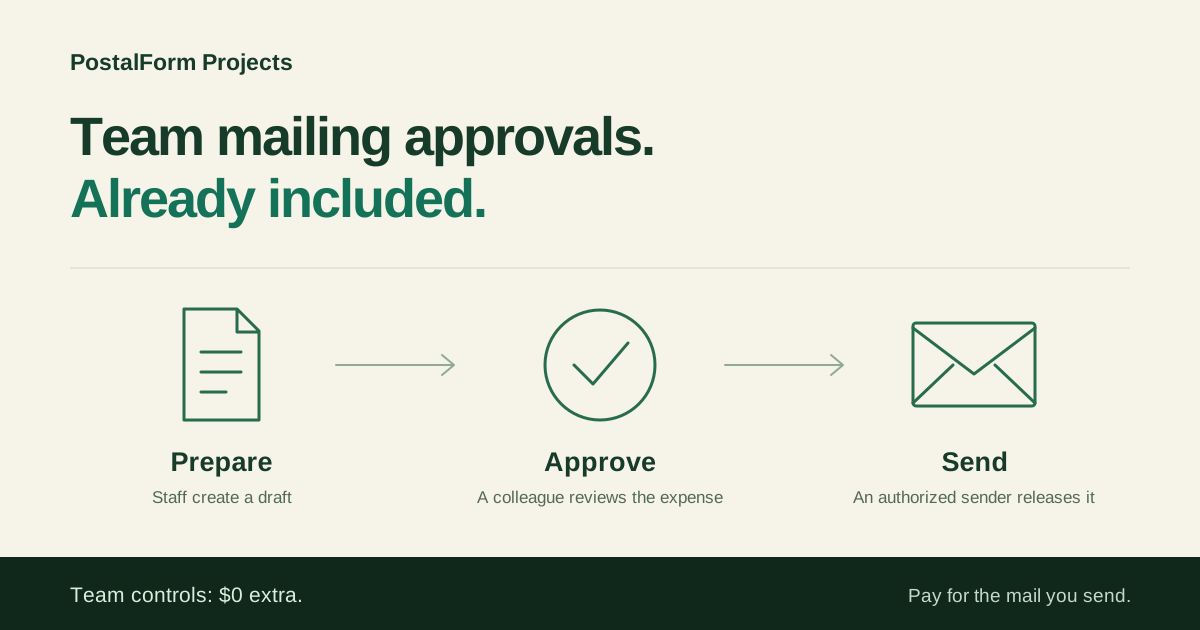
An approval-controlled mailing has three distinct steps:
- Prepare. A staff member uploads the document, enters the recipient and return address, selects the mailing service, and checks the preview and price. They save the draft and request approval.
- Approve. A colleague reviews who submitted the request and how much it will cost. They can approve the expense or request changes.
- Send. An owner or authorized sender releases the approved draft. PostalForm rechecks the mailing details, approval, and current price, then reserves credits and queues the order for fulfillment.
Approving a request does not send mail or charge a payment method. Sending is a separate action. If the workspace has enabled automatic credit refill, releasing a mailing may trigger that previously authorized refill.
That separation makes the handoff clear: preparing a document, authorizing an expense, and releasing a mailing are different responsibilities.
Give each teammate the access they need
Five roles cover the work:
- Owner: Full access across the workspace, including teammates, permissions, billing, approvals, and mail.
- Preparer: Create and edit mailing drafts and request approval. Access can cover the person’s own mail or all workspace mail.
- Approver: Review mailing expenses and approve or request changes. This role alone does not grant document access or permission to send.
- Sender: Release mailings within the assigned scope. An owner can require approval first or allow direct sending.
- Billing admin: Add credits, manage payment methods, and configure optional automatic refill. Billing access alone does not grant document access or sending.
Roles can be combined. For example, an office can give staff Preparer access to their own drafts, have a manager with Owner access review and send them, and give finance Billing admin access.
Review the expense without exposing the document
An approver may need to authorize spending without reading every document the team mails.
The Approver role shows the submitter, amount, and approval status. It does not expose document contents, recipient addresses, or filenames. Content access is a separate choice the owner can grant when needed. Workspace owners retain full access.
The same separation applies to billing: someone can manage mailing funds without receiving access to the team’s documents.
An example for patient advocacy teams
A patient advocacy organization can give each person a clear part in the mailing workflow:
- The advocate prepares the letter. Give them Preparer access to their own mail. They upload the document, enter the mailing details, and request approval.
- Finance authorizes the cost. Give an independent colleague the Approver role. If that person also manages credits or payment methods, add Billing admin. Without a separate content-access role, they see the expense information without access to the letter, recipient address, or filename.
- An authorized sender releases the mailing. Give the colleague responsible for sending access to the drafts they need and require approval before release. Approval alone does not send anything.
Roles can be combined when one person handles more than one responsibility. For example, an advocate may also be an approval-required Sender for their own mail. Finance must still approve independently before that advocate can release it.
This configuration lets advocates handle correspondence while finance manages mailing spend. The owner chooses permissions and retains full access to workspace mail.
See the patient advocacy mailing workflow for a more detailed example, or compare the included team roles and approval controls.
Choose where approval is required
Direct sending remains available for authorized senders by default. Teams can require approval for selected senders or turn on Require independent approval for everyone.
The workspace-wide policy also applies to owners and API submissions. A person cannot approve a mailing they created, requested approval for, or helped revise.
Approval is tied to the reviewed version. A change to the document or mailing details requires renewed review. A changed price at release requires refreshing the draft and obtaining a new approval. Draft revisions and administrative audit history help the team trace what happened.
Included team controls. Usage-based mailing.
Team permissions and approval workflows come with your PostalForm Projects workspace. There is no paid team-controls upgrade to unlock them.
Live mail uses prepaid mailing credits. A billing manager can add funds as needed or enable optional automatic refill. Free test mode simulates the workflow without sending physical mail.
See mailing prices or explore the included team controls.
Set up your team
Create a PostalForm Projects workspace, then open Team to invite colleagues and choose their permissions. Start with access to their own mail unless their job needs a wider view, and choose the approval policy that fits your organization.
Your team can begin preparing drafts while the people responsible for billing and sending handle their part of the setup.